
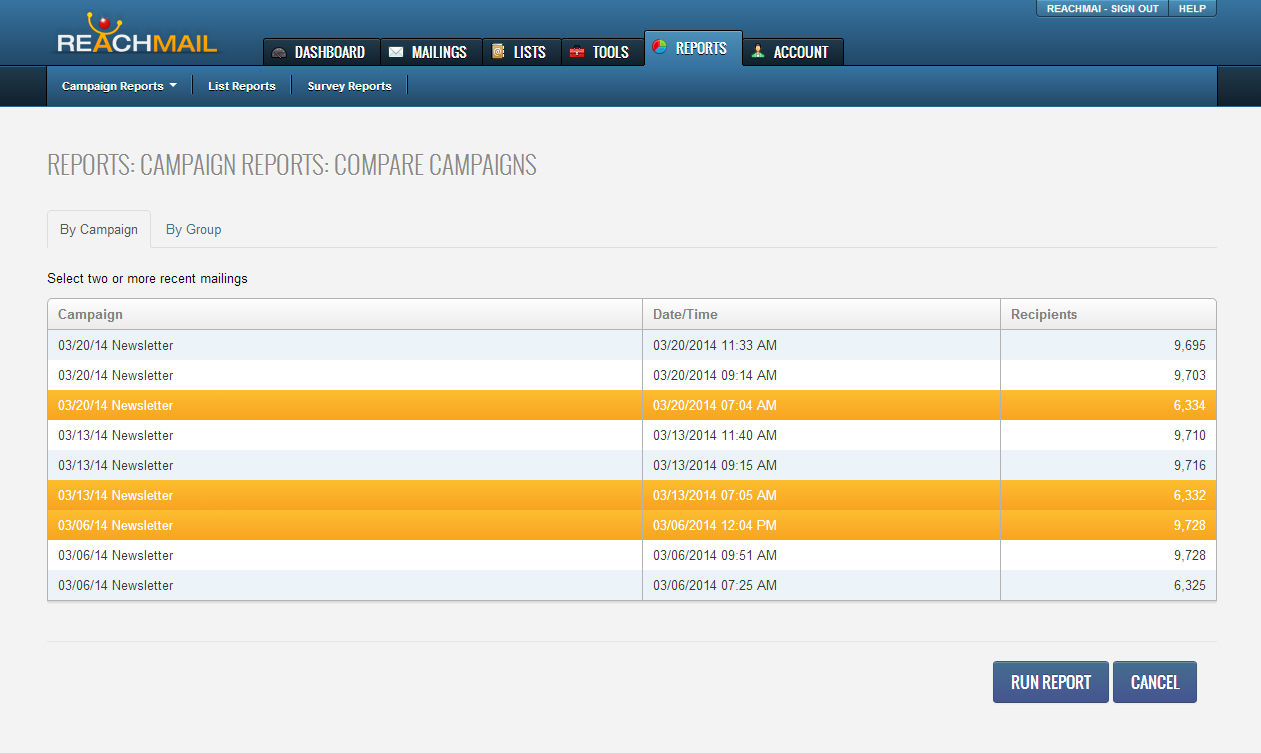
The compare campaign reports lets you select up to two or more recent mailings:
- Select all of the campaigns you would like to compare.
- Click “Run Report”
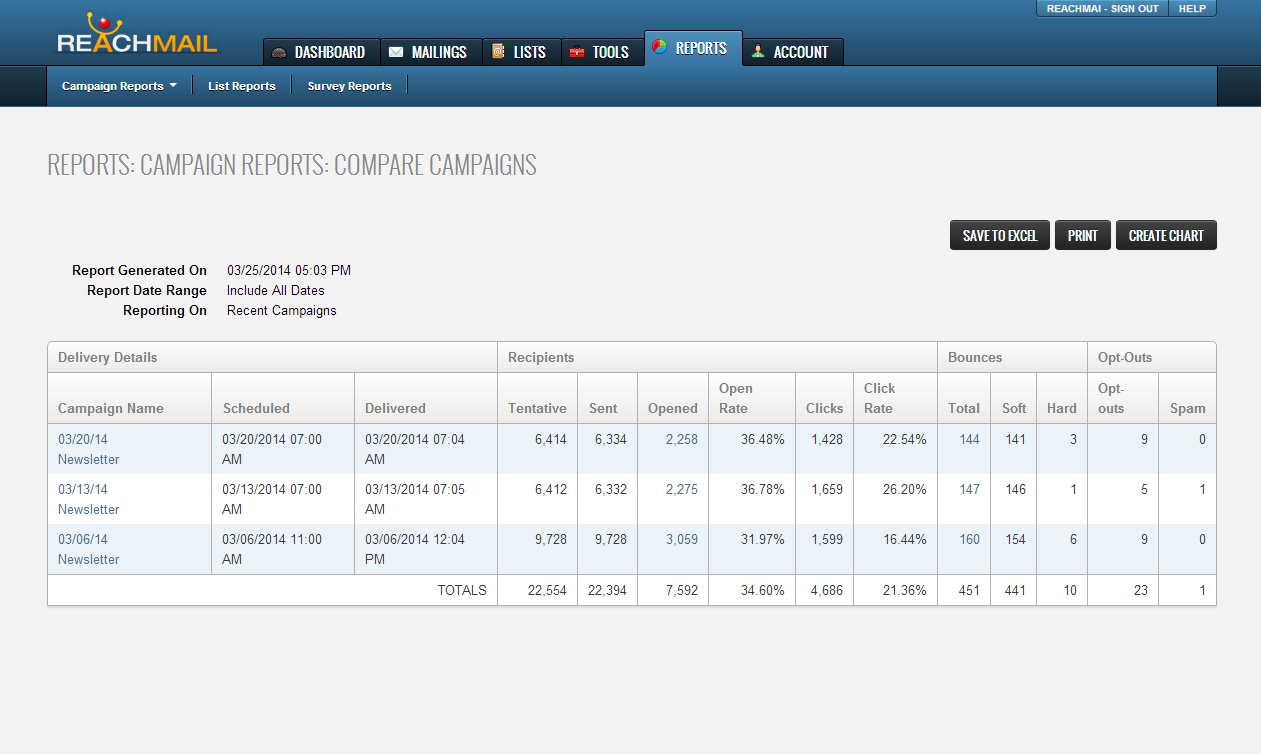
Running the report will bring you to multiple summaries of the selected reports. From here you can analyze and compare vital information such as:
- When the message was scheduled and delivered,
- How many tentative and sent
- How many opened or clicked
- Open rate percentages
- Soft and hard bounces
- Spam complaints
- Opt outs
Additionally, once a compare report is run:
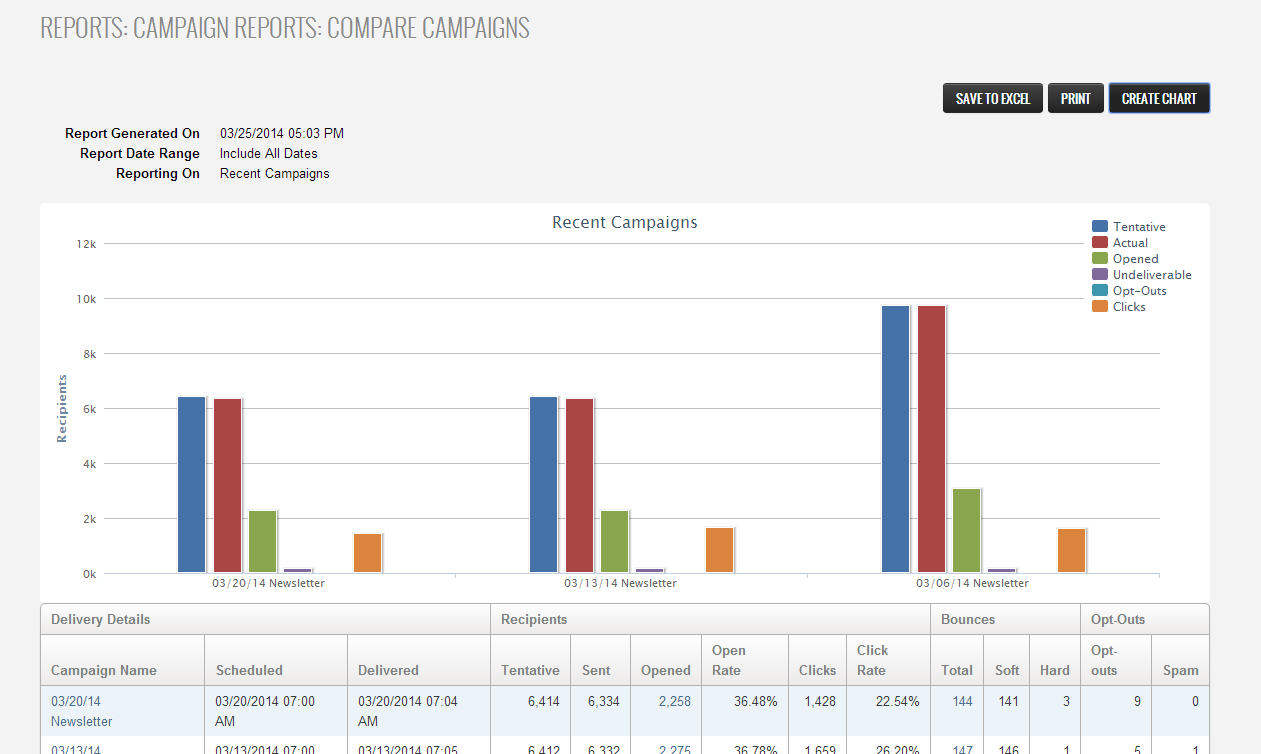
- Save to Excel, Print, or Create Chart.
- Clicking on Create Chart will create a bar graph of:
- Tentative
- Actual
- Opened
- Undeliverable
- Opts outs
- Clicks.
Comments